
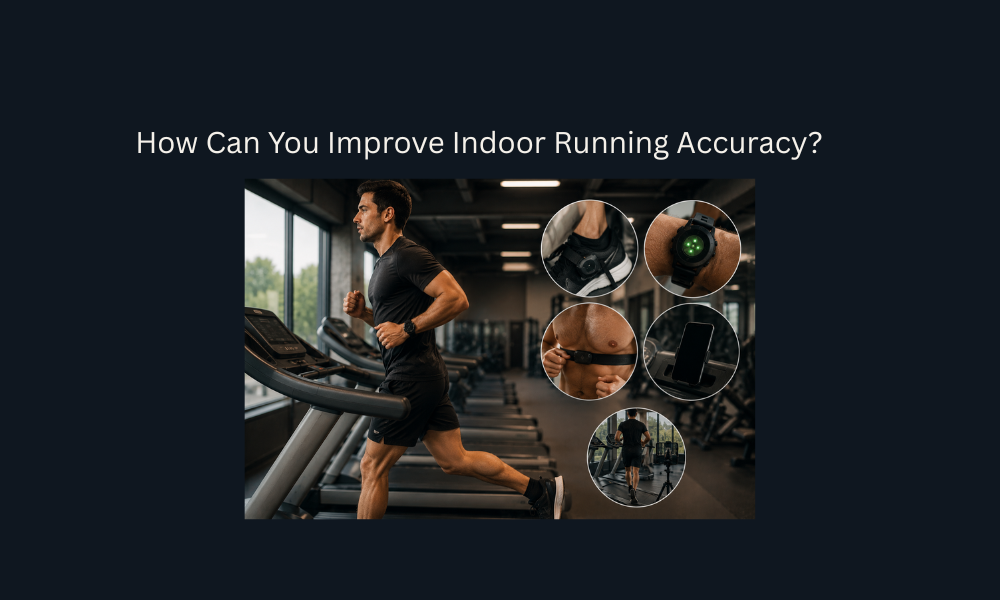
How Can You Improve Indoor Running Accuracy?
If your treadmill says you ran 5 miles but your smartwatch records 4.4 or 5.6 miles, the mismatch usually comes from how each device measures movement. Indoor running removes the outdoor GPS reference that watches normally use for distance and pace, so the watch has to estimate how far you traveled from internal motion sensors instead.
Improving indoor running accuracy therefore starts with understanding which device is measuring directly and which one is estimating. From there, you can improve results through smartwatch calibration, dedicated sensors such as foot pods, correct sensor-priority settings, and better synchronization with platforms such as Strava and Zwift.
Why Smartwatches Struggle to Maintain Indoor Running Accuracy
Smartwatches can track outdoor running accurately because GPS provides an external reference for your movement across the ground. On a treadmill, however, you remain in roughly the same physical location while the belt moves underneath you.
Without useful satellite positioning, the watch must rely primarily on its internal motion sensors. A wrist accelerometer detects movement patterns and uses those patterns to estimate cadence and stride length. Distance is then derived from the relationship between arm movement and the stride-length model stored by the watch.
That system can work reasonably well when your running mechanics resemble the data the watch has already learned. Accuracy begins to deteriorate when pace, incline, arm movement, or treadmill conditions change.
How the loss of GPS forces watches to estimate distance based on arm swing
During outdoor running, the watch can compare your movement patterns with GPS-measured displacement. This allows it to learn how your arm cadence relates to your running stride across different conditions.
Indoors, GPS positioning is no longer the primary distance source. The watch instead uses its internal 3-axis accelerometer to detect the repeated back-and-forth movement of your wrist.
That movement becomes a proxy for your running cadence.
The watch then combines the detected cadence with an estimated stride length to calculate distance. In simplified terms, its indoor model resembles:
The problem is that the watch is not directly measuring the movement of the treadmill belt or the exact displacement of your feet. It is estimating both from previously learned movement patterns.
An uncalibrated wrist accelerometer can therefore experience substantial drift, with the margin of error potentially reaching approximately ±10–20% depending on running style, calibration quality, and workout conditions.
Why changing treadmill speeds creates a mismatch with your average outdoor stride length
Your stride length does not remain perfectly constant across every running pace.
When you accelerate, your stride often lengthens. When you slow down, it may shorten. Incline changes can alter stride mechanics again.
This creates a problem for indoor smartwatch estimation.
Suppose the watch has learned an average stride relationship from outdoor runs. During a steady treadmill session, that estimate may remain reasonably close to your actual movement. During an interval workout, however, you may repeatedly move between slow recovery periods and fast running segments.
Your true stride length changes immediately, but the watch’s estimated relationship between arm cadence and stride length may not adjust with the same precision.
Incline changes create another source of variation. The treadmill belt may continue moving at a known speed while your stride mechanics change because of the gradient.
As these differences accumulate, the watch’s calculated distance can gradually separate from the actual belt displacement.
How holding treadmill handrails halts wrist-based tracking and ruins indoor running accuracy
Wrist-based indoor tracking depends heavily on natural arm movement.
If you place the watch hand on the treadmill console, hold the handrail, check your phone for an extended period, or carry a water bottle without normal arm swing, the accelerometer receives less useful movement information.
The watch may interpret the reduced wrist motion as a reduction in cadence.
In extreme cases, the wrist can remain nearly stationary even though your feet continue running at the same treadmill speed.
That breaks the relationship between wrist movement and actual distance.
The result can be missing cadence data, underestimated distance, incorrect pace, or sudden changes in the recorded workout.
For the best wrist-based indoor running accuracy, maintain your natural arm swing whenever possible.
Which Data Source Offers the Best Indoor Running Accuracy?
Not every indoor running device measures distance in the same way.
A smartwatch primarily estimates movement from inertial data. A treadmill calculates belt displacement from its mechanical system. A dedicated foot pod measures movement much closer to the point where running motion actually occurs.
Because the measurement methods differ, their reliability also differs.
| Device / Data Source | Measurement Method | Primary Strength | Common Failure Point | Expected Accuracy Tier |
|---|---|---|---|---|
| Smartwatch (Wrist Accelerometer) | Arm swing cadence × estimated stride length | Zero extra hardware needed; tracks heart rate simultaneously | Rail holding, cadence changes, incline variations | Low to Moderate (without ongoing calibration) |
| Treadmill Console | Mechanical motor/roller revolution count | Direct measurement of belt speed displacement | Belt slippage, motor calibration drift, unweighted calibration | Moderate to High |
| Foot Pod (e.g., Stryd, Polar, Garmin) | 3D foot acceleration and ground contact dynamics | Independent of arm movement; tracks instant pace and cadence changes accurately | Requires separate battery/pairing; calibration scale factor errors if misconfigured | High to Precision (>98%) |
Why the treadmill console generally provides higher indoor running accuracy than an uncalibrated watch
A treadmill measures a physical system directly.
Its console calculates distance from factors such as roller revolutions and belt speed. Because the treadmill knows how quickly its belt is intended to move and how long it has been moving, it can calculate belt displacement without relying on your arm swing or an estimated stride length.
An uncalibrated smartwatch works differently.
It sees movement at your wrist and attempts to infer what your feet are doing. The treadmill instead measures the movement of the surface you are running on.
For that reason, a properly functioning treadmill will generally provide a more reliable indoor distance reference than an uncalibrated wrist accelerometer.
Treadmill consoles are not perfect, however. Under suitable mechanical conditions, they may operate within a moderate error range such as approximately ±2–5%, but mechanical problems can increase the discrepancy.
How belt slippage and motor wear can reduce the indoor running accuracy of older treadmills
The number displayed on a treadmill console assumes that the physical belt is moving according to the machine’s expected speed.
That assumption can become less reliable as equipment wears.
A loose or worn drive belt can slip. Deck tension can change. An older or underpowered motor can struggle to maintain consistent belt speed when a runner repeatedly strikes the belt.
Runner foot-strike friction can also create brief physical deceleration.
In these situations, the console may report the speed the treadmill expects to deliver rather than the exact belt speed occurring under load.
That means an older treadmill can display a pace or distance that is slightly higher than the runner’s true belt displacement.
This is why the treadmill should be treated as a strong reference source only when the machine itself is functioning and calibrated correctly.
Why foot pods provide the highest level of indoor running accuracy by directly measuring motion
A foot pod places the motion sensor on the shoe instead of the wrist.
That location allows the device to observe the movement of the foot throughout each running cycle. Depending on the system, the pod can track acceleration, foot trajectory, cadence, and ground contact dynamics in three-dimensional space.
This gives the sensor a major advantage indoors.
It does not need to infer foot movement from arm swing.
If you reach for a bottle, briefly touch the treadmill controls, or alter your arm position, the pod continues measuring what your foot is doing.
Foot pods also respond directly to changes in running pace. During interval sessions, the sensor can detect the faster and slower movement cycles without depending on a static wrist-based stride estimate.
When properly configured and calibrated, dedicated foot pods can provide high-precision indoor tracking, with some systems capable of exceeding 98% accuracy.
How to Calibrate Your Smartwatch for Better Indoor Running Accuracy
Before buying additional hardware, improve the data your smartwatch already uses.
Smartwatch calibration helps the device build a better relationship between your cadence, arm movement, stride length, and actual distance.
The most effective calibration process begins outdoors, where GPS can provide an independent measurement of how far you actually travel.
How outdoor GPS runs establish your baseline stride length for better indoor running accuracy
Outdoor runs allow the watch to compare two types of information at the same time.
The GPS system measures your actual movement across the ground, while the accelerometer records your arm and wrist movement.
Over repeated runs, the watch can learn how a particular cadence pattern corresponds with different stride lengths and running speeds.
For better calibration, complete outdoor runs in areas with strong GPS reception and allow the watch to record a variety of normal running paces.
This gives its internal algorithm a stronger baseline.
When you later move indoors, the watch can use the previously learned relationship between arm cadence and stride length to estimate treadmill distance more accurately.
The process is still an estimate, but a watch trained on good outdoor GPS data should generally perform better than one that has little or poor calibration history.
When and how to use the “Calibrate & Save” function after a treadmill workout
Post-run calibration allows you to correct the watch using the treadmill’s reported distance.
A practical calibration sequence is:
- Start a treadmill or indoor-running activity on the watch.
- Run at least approximately 1–1.5 miles at a steady pace.
- Record the final distance displayed by the treadmill console.
- Stop the activity on the watch.
- Select Calibrate & Save when that option is available.
- Enter the exact distance displayed on the treadmill.
- Save the corrected workout.
The correction tells the watch that its estimated distance did not exactly match the reference distance.
Over subsequent sessions, the device can use that information to improve its internal stride calculations.
Calibration is particularly useful after a watch has repeatedly overestimated or underestimated indoor distance in the same direction.
Why you must recalibrate when switching treadmill models to preserve indoor running accuracy
A calibration made on one treadmill does not necessarily transfer perfectly to another.
Different treadmill models can have different:
- belt lengths,
- deck resistance,
- motor responsiveness,
- belt tension,
- acceleration behavior,
- and under-load speed characteristics.
Your running mechanics can also change slightly between machines.
A home treadmill may feel different from a commercial treadmill at the same displayed speed. Similarly, two gym treadmills can produce different belt responses even when both consoles display the same pace.
If you regularly alternate between treadmill models, recalibrating can help prevent the watch from relying too heavily on a correction established under different mechanical conditions.
Using Foot Pods and Heart Rate Monitors to Maximize Indoor Running Accuracy
When wrist calibration is not sufficient, external motion sensors can remove many of the limitations associated with wrist-based estimation.
Foot pods provide the most direct solution for indoor distance, pace, and cadence. Certain premium chest straps can also transmit running-dynamics information in addition to heart-rate data.
The important step is not only pairing the sensor but also making sure the watch actually uses it as the preferred speed and distance source.
How foot pods bypass arm-swing errors to deliver precise indoor running accuracy
A foot pod measures movement from the shoe, so normal wrist motion is no longer required for distance estimation.
If you reach for a water bottle, adjust the treadmill, or briefly hold the rail, the sensor continues observing the acceleration and movement cycles of your foot.
This makes foot pods particularly useful for treadmill workouts involving:
- rapid intervals,
- changing inclines,
- frequent pace changes,
- altered arm positions,
- or runners whose natural arm swing differs from the watch’s expected movement pattern.
Because the sensor sits close to the point where running displacement occurs, it can respond quickly to changes in cadence and pace.
A properly configured pod therefore reduces one of the largest sources of indoor smartwatch error: the assumption that wrist movement always represents foot movement accurately.
Why premium chest straps (like Garmin HRM-Pro) improve indoor pace reporting alongside heart rate
Some advanced chest straps do more than measure heart rate.
Devices equipped with internal running-dynamics sensors can detect torso movement and transmit additional information such as running pace and distance to a compatible watch.
This provides another source of motion data when a dedicated foot pod is not being used.
The chest strap is not affected by wrist position in the same way as the watch accelerometer. If you temporarily stop swinging the watch arm normally, the chest-mounted sensor can continue detecting body movement.
This allows compatible systems to combine heart-rate monitoring with additional indoor running metrics.
For runners who already use a premium chest strap, enabling its running-dynamics capabilities can therefore improve indoor pace reporting without requiring a separate wrist-based estimate.
How to ensure your watch prioritizes pod data over its internal accelerometer for indoor running accuracy
Pairing a sensor does not always guarantee that the watch will use it as the preferred data source.
After pairing your foot pod or compatible running-dynamics strap:
- Open the watch’s Sensors or Accessories settings.
- Select the paired foot pod or chest strap.
- Locate the settings for Speed and Distance.
- Set the source to Always when that option is available.
- Avoid leaving the setting on Auto if your goal is to consistently prioritize the external sensor.
- Confirm that the sensor shows as connected before beginning the treadmill activity.
Some devices also provide an Indoor Only option.
That can be useful if you want the external sensor to supply treadmill data while allowing GPS to remain the primary source outdoors.
The key is to verify the configuration rather than assuming the paired device automatically overrides the internal accelerometer.
How to Correct Distance in Strava and Zwift to Reflect True Indoor Running Accuracy
Accurate sensor data can still become distorted when the workout reaches a third-party fitness platform.
Apps such as Strava and Zwift rely on the data source sent to them. If the watch records an incorrect distance, leaves GPS active indoors, or sends delayed pace information, the software may simply preserve those errors.
Correct indoor activity profiles and direct sensor connections can reduce these discrepancies.
| Platform / App | Common Data Error | Root Cause | Exact Software Fix |
|---|---|---|---|
| Strava | Erratic spikes in pace and zigzagging route map indoors | GPS left active during treadmill session | Switch activity type to “Treadmill” / “Indoor Run”; disable GPS prior to starting. |
| Strava | Discrepancy between watch file and treadmill distance | Watch auto-syncs uncalibrated estimated distance | Open activity → Edit Activity → manually update the Distance field to match console. |
| Zwift Running | Avatar hesitates or fails to match treadmill pace changes | App reading laggy wrist-cadence feed over Bluetooth | Pair a dedicated foot pod or smart treadmill bridge directly in the Zwift “Paired Devices” screen under “Run Speed.” |
Why you must disable GPS tracking to ensure indoor running accuracy when recording for Strava
GPS should not be used as the primary movement source for a treadmill session.
You are running while remaining in approximately the same geographic location, so small fluctuations in satellite positioning can appear as movement even though you have not moved across the ground.
This produces GPS drift.
The recorded activity may show:
- erratic pace spikes,
- false distance,
- a zigzagging route,
- or distorted segment information.
Before beginning the session, choose the appropriate Treadmill or Indoor Run activity profile and make sure GPS is disabled.
This allows the workout to rely on the intended indoor motion source instead of inaccurate satellite movement.
How to manually correct distance discrepancies within the Strava app
If an indoor activity reaches Strava with the wrong distance, use the verified treadmill console total as the correction reference.
After the workout:
- Open the completed activity in Strava.
- Select Edit Activity.
- Locate the Distance field.
- Replace the incorrect watch distance with the verified treadmill console distance.
- Save the edited activity.
This is particularly useful when the watch has automatically synchronized an uncalibrated indoor estimate.
Correcting the activity does not repair the original sensor error, so smartwatch or sensor calibration should still be addressed before the next run.
Why pairing foot pods directly to Zwift prevents speed decoupling and preserves indoor running accuracy
Zwift Running needs a real-time speed source to control your in-game movement.
If the platform receives pace information indirectly through a wrist-based estimate, rapid treadmill changes may not appear immediately. During intervals, the avatar may hesitate, accelerate slowly, or fail to reflect the actual treadmill speed.
Direct sensor pairing shortens the measurement chain.
Instead of:
a dedicated foot pod can send running-speed information directly to Zwift.
To configure it:
- Open Zwift’s Paired Devices screen.
- Locate Run Speed.
- Pair the dedicated foot pod or compatible smart treadmill bridge.
- Confirm that the sensor is actively reporting before beginning the session.
This allows Zwift to respond more directly to actual pace changes and reduces speed decoupling during interval workouts.
The Pre-Run Checklist for Perfect Indoor Running Accuracy
Indoor running accuracy improves when the same process is followed consistently.
Before every treadmill workout, confirm the correct activity profile, sensor connections, and movement source. During the run, avoid behavior that interferes with motion detection. After the session, compare your recorded distance with the treadmill and calibrate the watch when necessary.
Verify sensor connections and disable GPS before starting the belt
Before starting:
- Select Treadmill or Indoor Run on the watch.
- Confirm that GPS is disabled.
- Verify that the foot pod or running-dynamics strap shows as connected.
- Check that the correct sensor is selected for speed and distance.
- Make sure Bluetooth-connected applications such as Zwift recognize the intended running-speed source.
Do this before the treadmill belt begins moving so the entire workout is recorded using the correct configuration.
Run naturally without touching the console to maintain accelerometer cadence
If you are relying on wrist-based tracking, preserve natural arm movement throughout the session.
Avoid:
- leaning on the treadmill handrails,
- holding the console,
- carrying objects continuously in the watch hand,
- or keeping the wrist stationary while running.
Short interactions with the treadmill controls may be unavoidable, but prolonged changes in wrist movement can reduce the quality of accelerometer-based cadence and distance estimation.
Allow your arms to swing naturally, particularly during steady-state sections used for calibration.
Use the treadmill display as the primary reference and calibrate the watch upon saving
At the end of the workout:
- Note the final distance displayed on the treadmill.
- Stop the activity on your watch.
- Compare the watch distance with the console.
- Select Calibrate & Save when the feature is available.
- Enter the verified treadmill distance.
- Save the activity.
- Correct the synchronized third-party activity if necessary.
For most runners using a properly functioning treadmill, the console provides a stronger indoor reference than an uncalibrated wrist accelerometer.
If you require greater precision, a properly configured foot pod provides the strongest dedicated measurement option because it measures movement at the foot instead of inferring it from wrist motion.